Zedcut
Platform modules

Everything your shop runs on

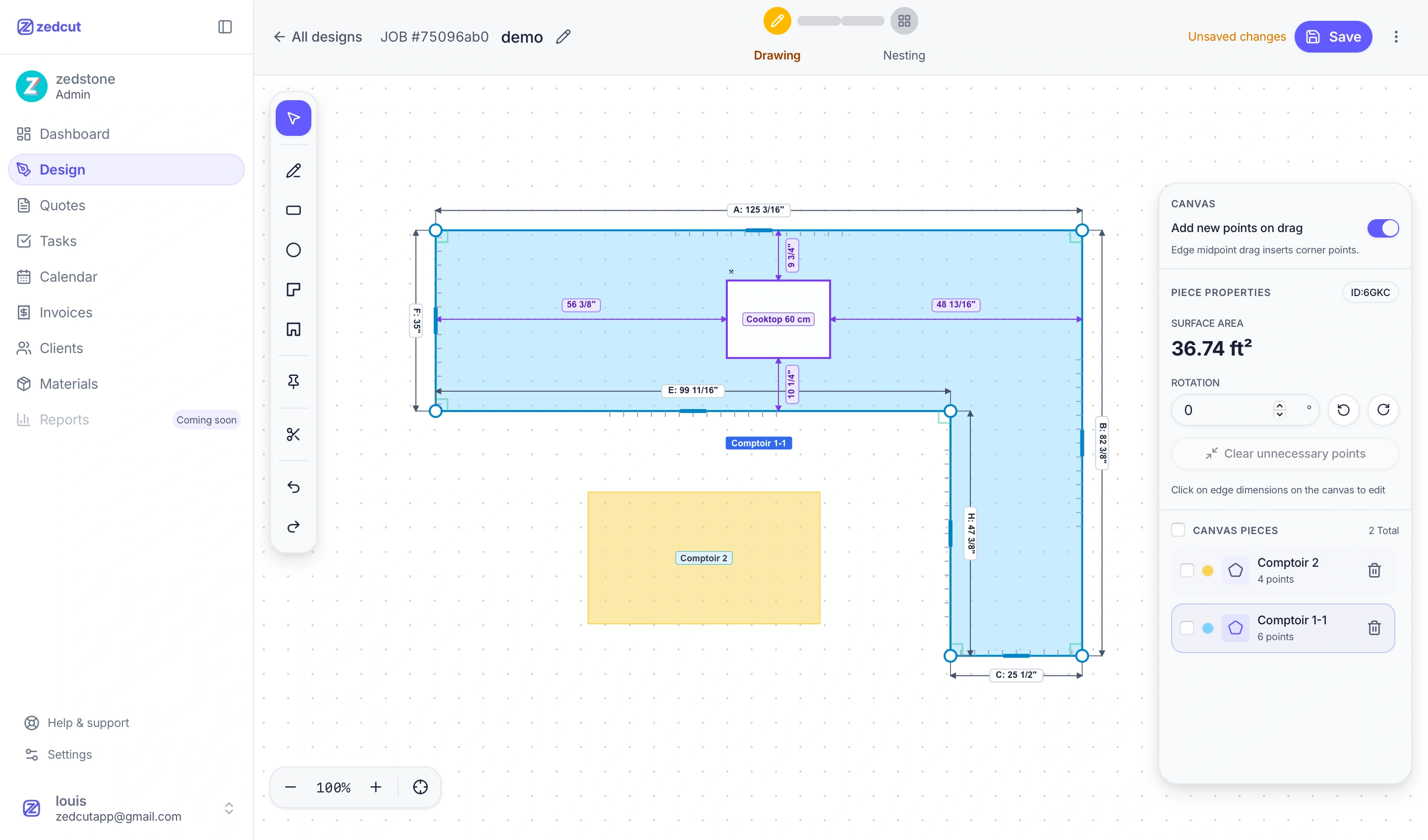
Design canvas with L-shapes, islands, and cutout library
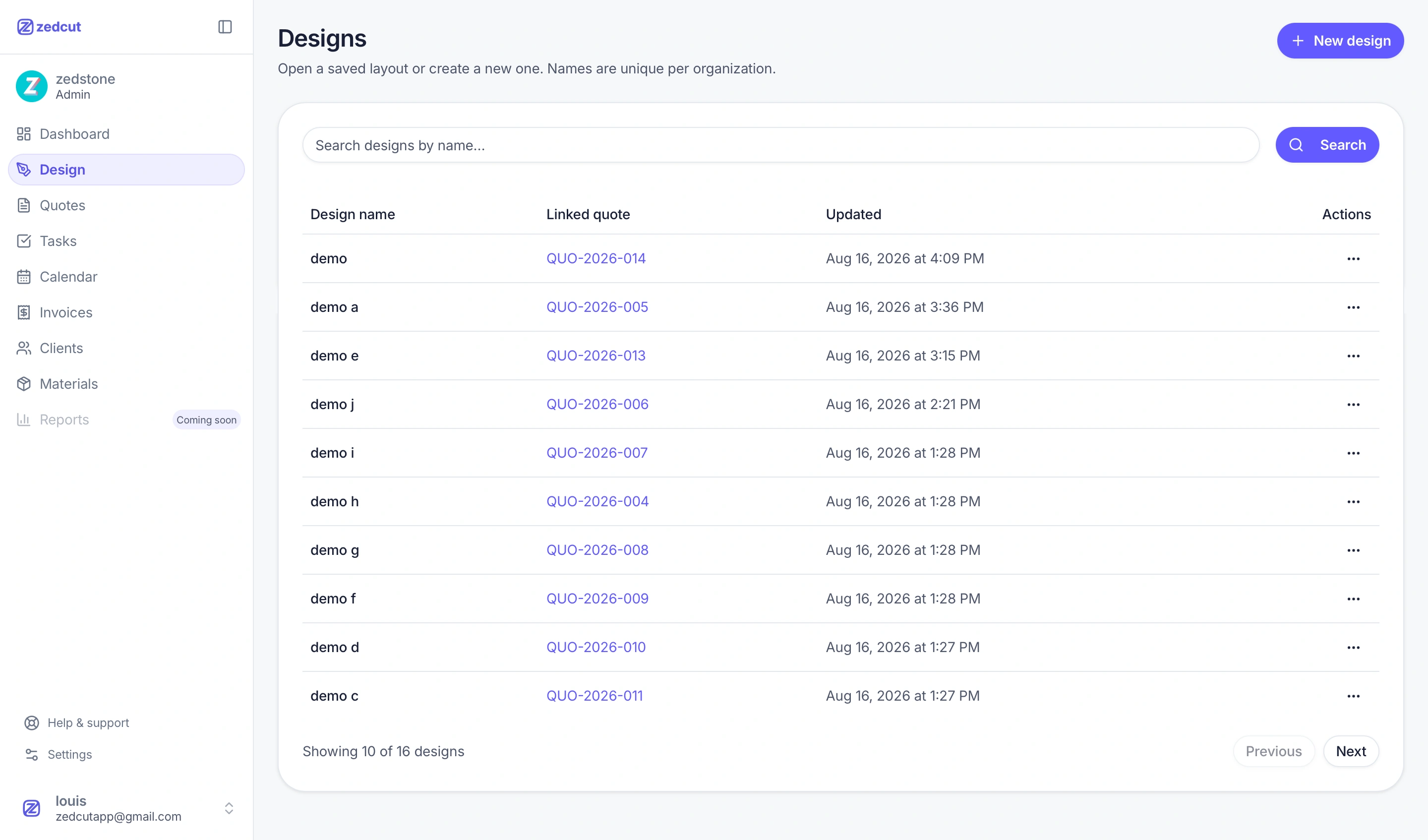
Organization design library with linked quotes

Drawing

Job drawings & measurements

Capture countertop shapes, cutouts, and edge details from site visits — ready for your marbling team.

The Design workspace has Drawing, Nesting, and Estimation tabs on one canvas. Save named projects to your organization library and reopen them from any device. Draw L-shapes, U-shapes, islands, and custom polygons with live edge dimensions, then add cutouts from a built-in catalog (sinks, cooktops, outlets, and more) with inset and edge-finish controls.

  • Organization design library — unique names, rename, duplicate, and copy a layout to start a new job
  • Piece tools with rotation, duplicate, surface area, and edge dimensions you edit directly on the canvas
  • Cutout library by category with diameter, width, depth, corner radius, and drag-to-place inserts
  • Works in inches or millimeters — set once in organization settings for the whole team
  • Linked quotes lock the design when sent; duplicate the layout to keep editing without breaking the quote
  • Client-ready design plan with measurements flows into quotes, PDFs, and the public approval page
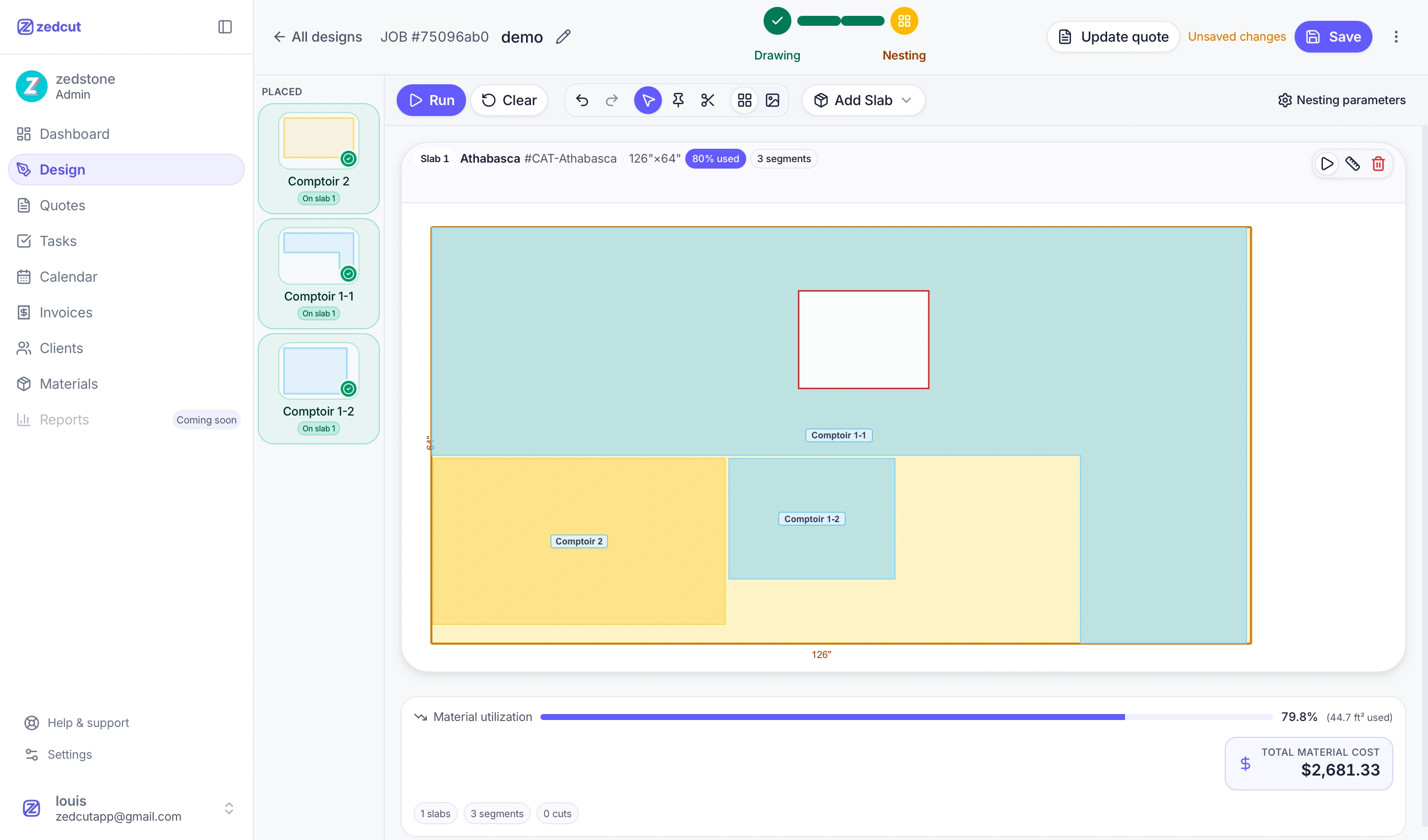
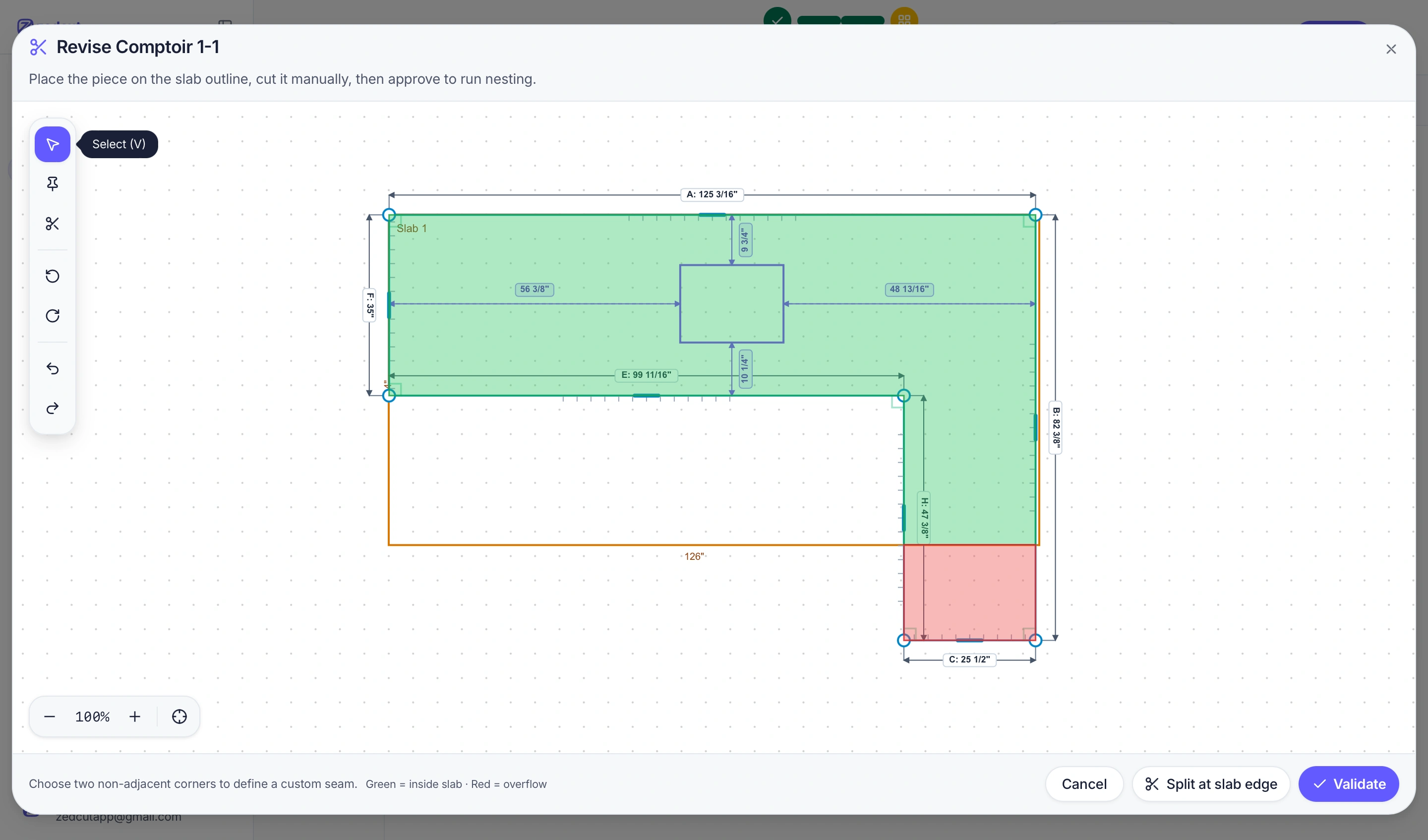
Automatic slab nesting with material utilization percentage
Split approval workflow before auto nesting runs

Nesting

Automatic slab nesting

Our nesting algorithm packs pieces onto each slab to maximize material use — live utilization, approved splits, and waste reports before you cut.

Pull slabs from your materials catalog — sheet size, thickness, finish, and optional photo. Launch auto-nesting to let the algorithm find the tightest layout, or drag pieces manually when you want full control. When a piece exceeds a slab, Zedcut proposes splits and waits for your approval before the optimizer runs. Re-run nesting while keeping locked segments in place.

  • One-click auto-nesting algorithm — rotates and packs pieces to maximize slab utilization
  • Live utilization badge per slab (e.g. 84% used) plus waste percentage in the scrap report
  • Split approval workflow — review multi-segment cuts before pieces hit the saw
  • Nesting options: grain direction, rotation, gap between pieces, and auto-add slabs when full
  • Manual placement with rotate controls when you override the optimizer
  • Generate or update the draft quote from Nesting once pieces are placed
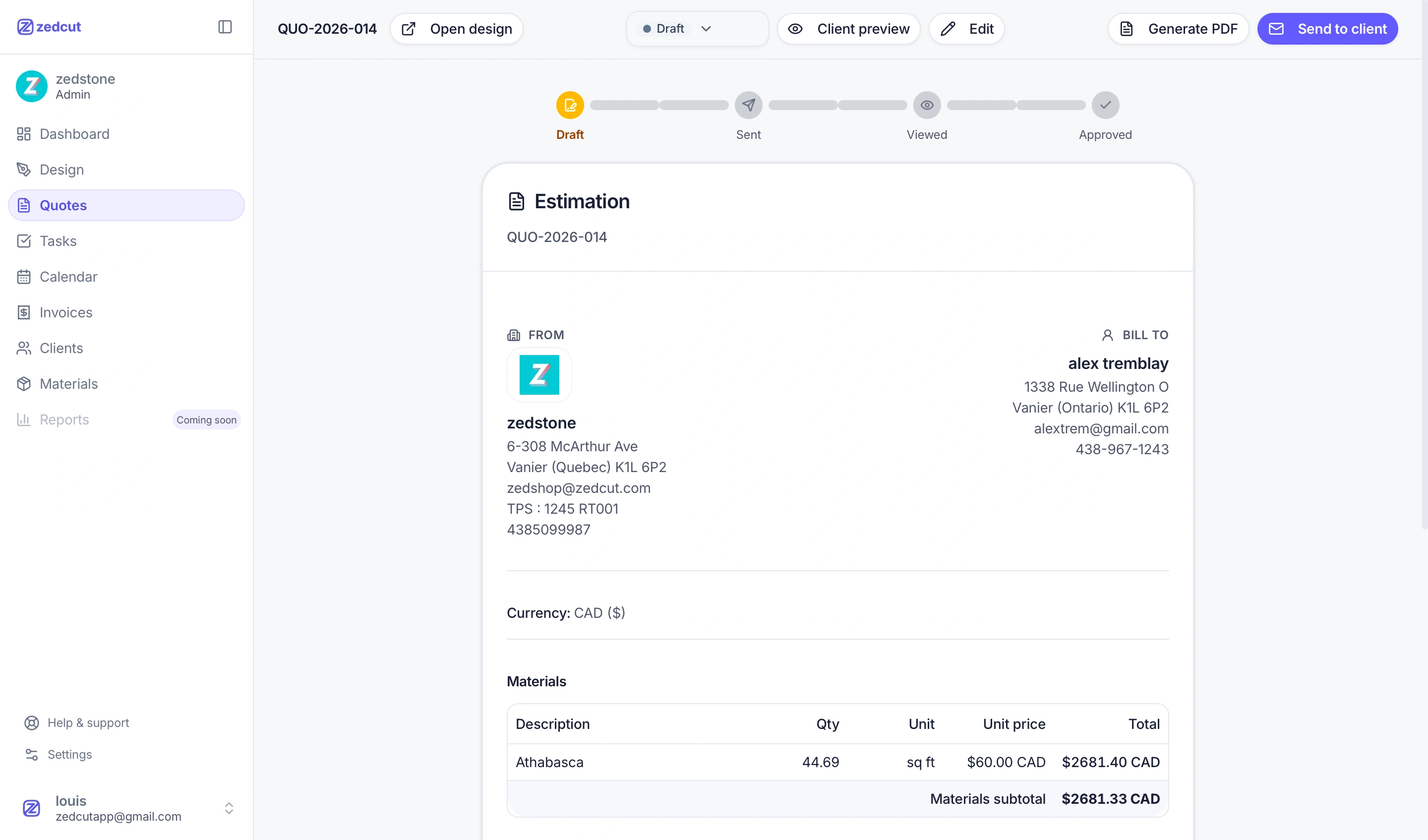
Client-ready estimation with materials and pricing
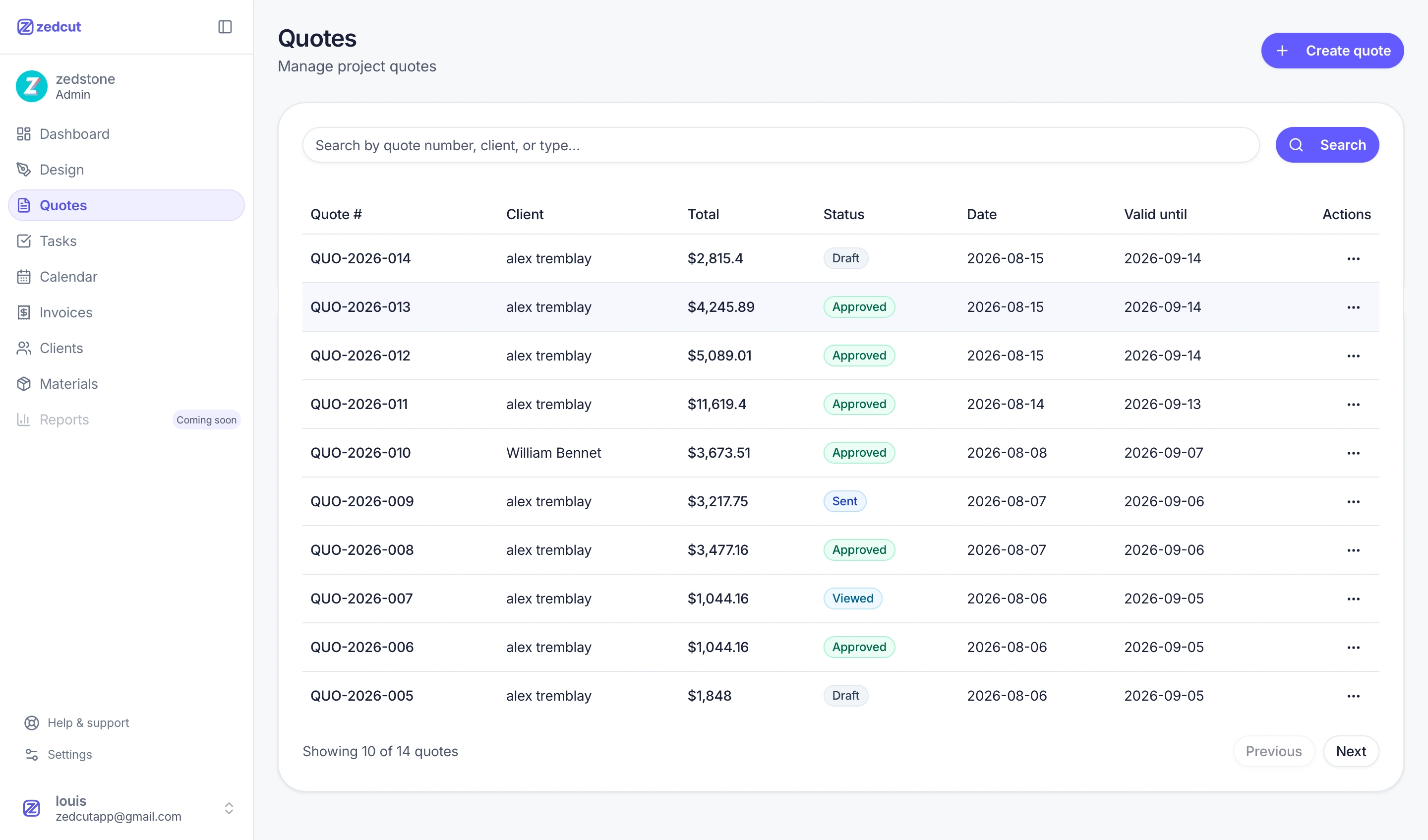
Quotes list with status tracking

Quoting

Estimating & quoting

Turn drawings into line-item quotes with your materials catalog — send to clients and track status through acceptance.

Create a quote from nesting or the Quotes list. Material lines pull from placed slabs and your catalog; add delivery, fabrication, or custom lines with organization taxes (including compound rates). Preview exactly what the client sees — line items plus the full design plan — then email the quote with PDF attached.

  • Quote pipeline: draft → sent → viewed → accepted or refused, with a visual status timeline
  • Material lines auto-populated from nesting; additional line items with qty, unit, and unit price
  • Client, project type, installation address, valid-until date, and special notes on every quote
  • Optional deposit (percentage or amount) with your configured client payment methods in the email
  • Client preview and PDF include the design plan with edge measurements
  • Generate a final invoice from an accepted quote without re-entering line items
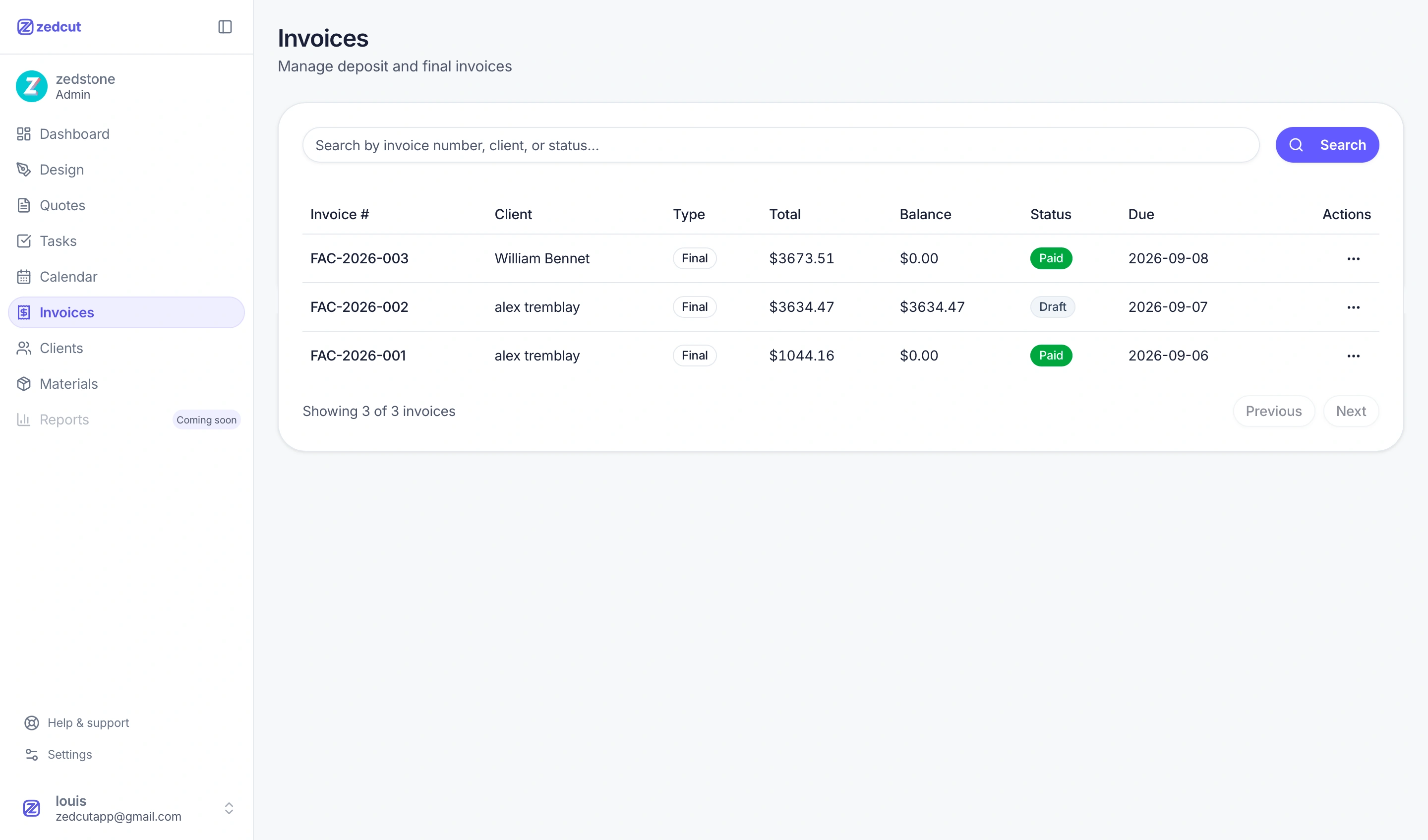
Invoice list with status tracking

Documents

Quotes & invoices

Email clients a professional quote PDF with a link to accept or decline — then convert approved quotes to invoices without retyping.

Manage quotes and deposit or final invoices in one place. Your organization logo, address, and reply-to email appear on documents sent to clients. When you send a quote, the client receives a PDF and a public link to approve or decline (with their name) — including the design plan so they know what they are buying.

  • Quote and invoice lists with status, balance, due dates, and filters
  • Email delivery with PDF attachment; resend anytime from the quote or invoice detail page
  • Public quote page: design plan, line items, taxes, deposit instructions, approve or decline
  • Deposit and final invoices generated from quotes — payment methods you choose per send
  • Organization logo on PDFs and client documents on every plan
  • Invoice footer shows subtotal, deposit received, balance due, and payment history
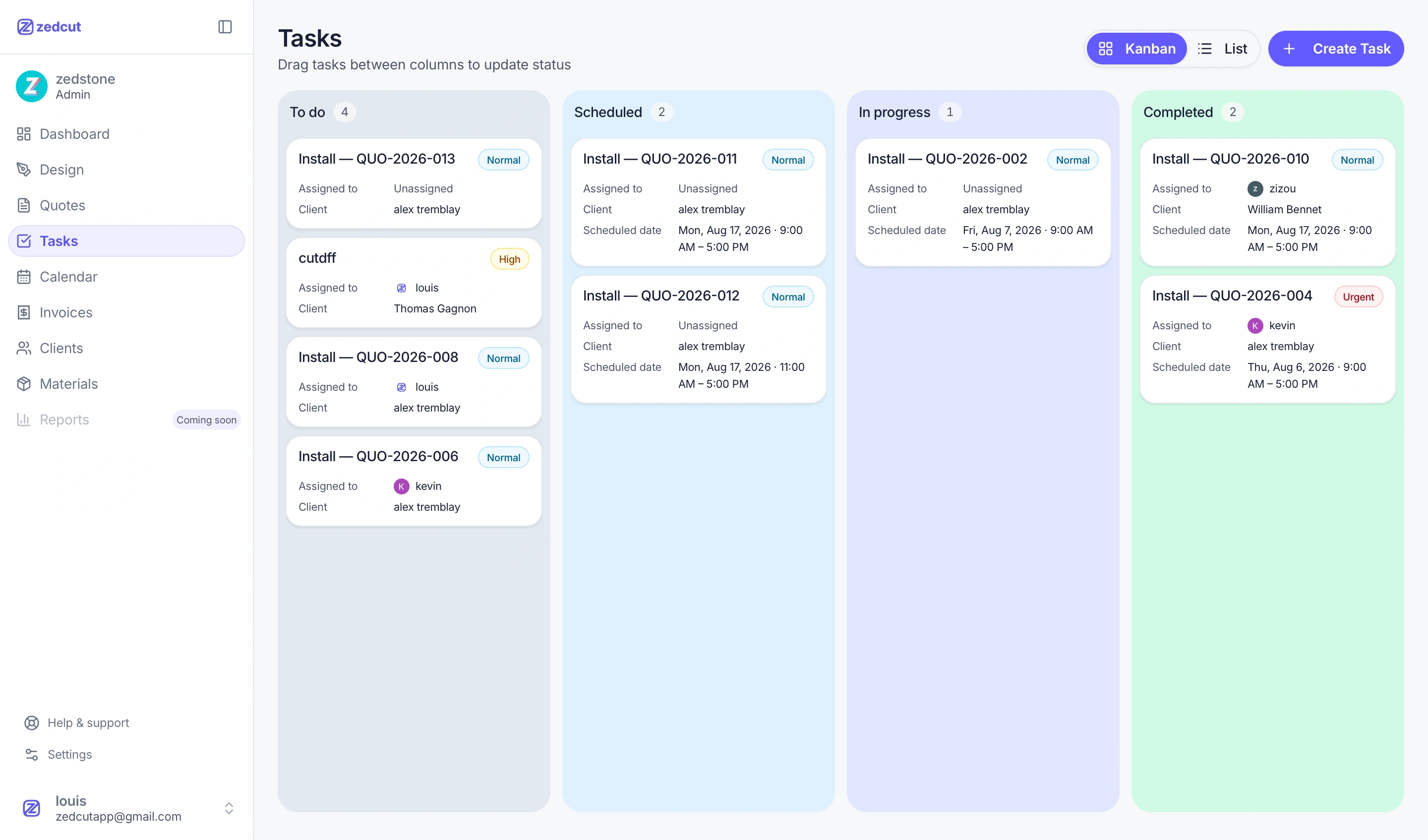
Kanban task board for install scheduling
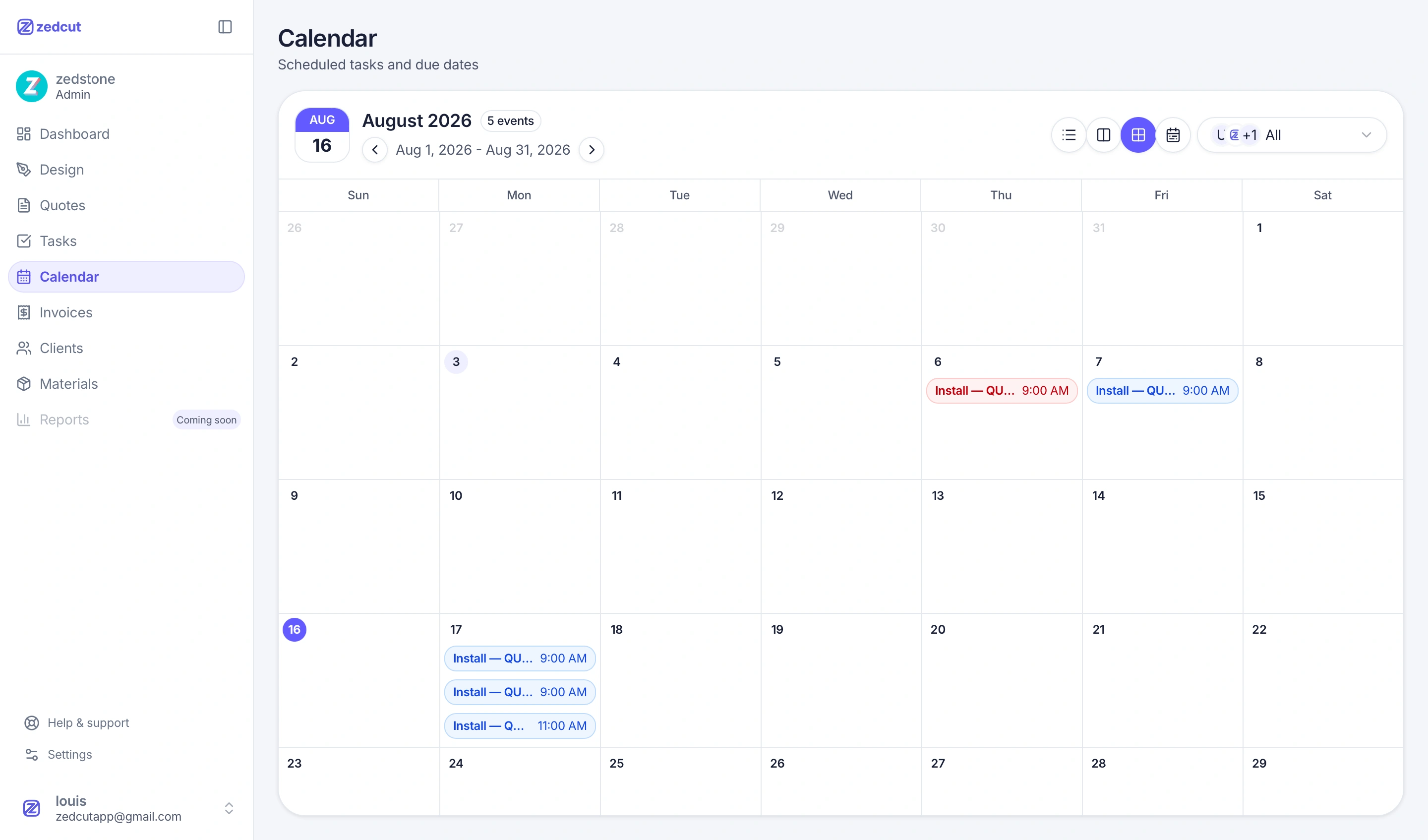
Calendar view of scheduled installs

Operations

Scheduling & install calendar

Plan templating and install dates on a shared calendar — for office staff and crews in the field.

Track work on a Kanban board (To do, Scheduled, In progress, Completed) or the calendar view with multi-day blocks. Create tasks manually or let approved quotes create work automatically. Each task links to a client and optionally a quote, with assignee, priority, schedule, and a field timeline for site notes and photos.

  • Kanban columns with drag-and-drop; schedule start/end required before leaving To do
  • Calendar page for scheduled tasks and due dates across the shop
  • Priorities: low, normal, high, and urgent; filter completed tasks in a dedicated view
  • Field timeline on each task — post notes and photos from the job site
  • Link tasks to clients and quotes so installers see context on site
  • Dashboard widgets for today's tasks and pipeline when your role includes them
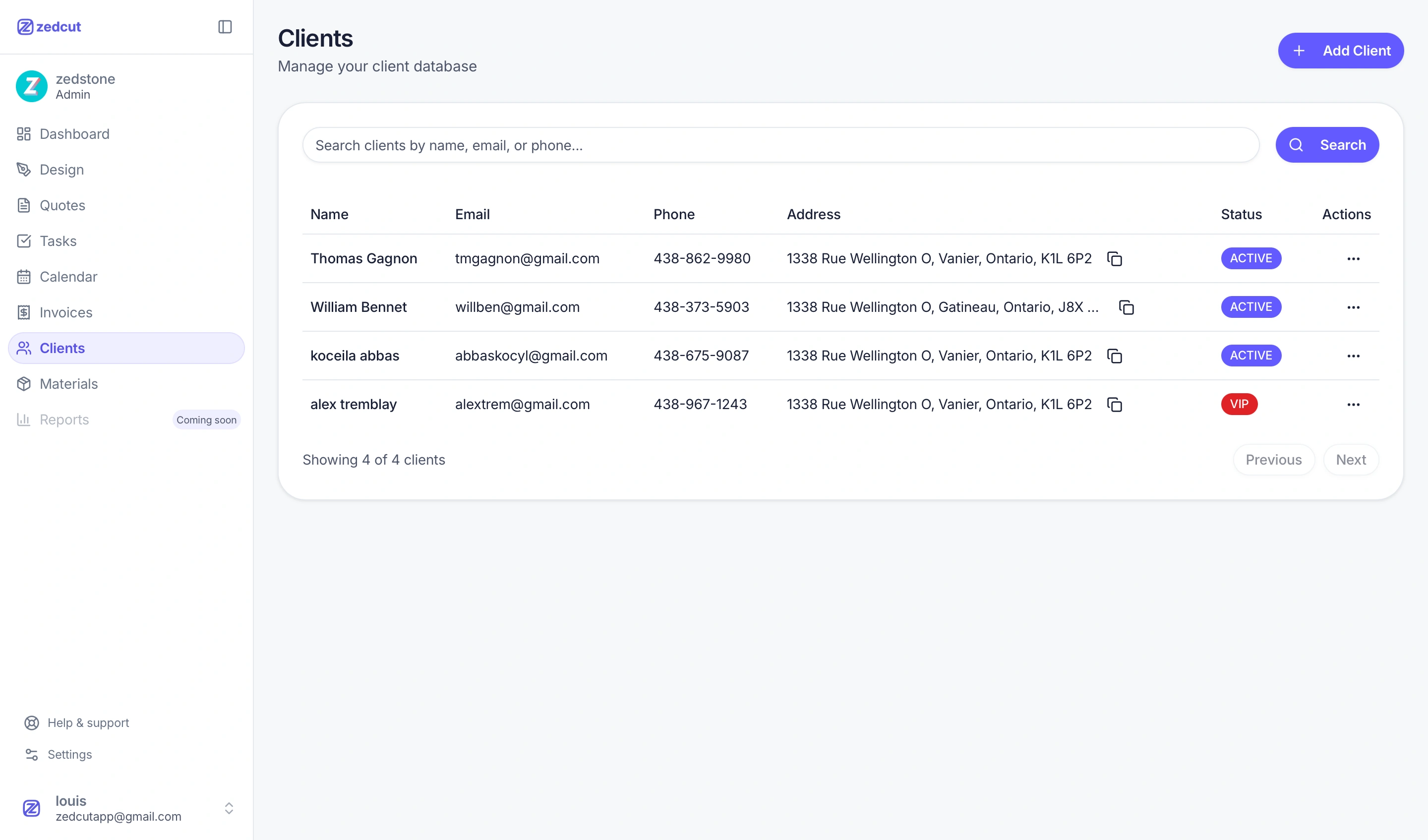
Client database with search and status badges

CRM

Clients

Search clients by name, email, or phone — track status, addresses, and job history in one place.

Keep every client contact in one searchable database. Add clients manually or pull them from quotes and tasks. Copy addresses with one click, filter by status (Active, VIP, and more), and open related quotes, designs, and invoices without leaving the record.

  • Search by name, email, or phone with instant filtering
  • Status badges — Active, VIP, and custom statuses for your workflow
  • Address, phone, and email on every record with copy-to-clipboard
  • Clients linked to quotes, tasks, and invoices for full job context
  • Add clients from the list or while creating a quote
  • Pagination and sorting for shops with large client lists
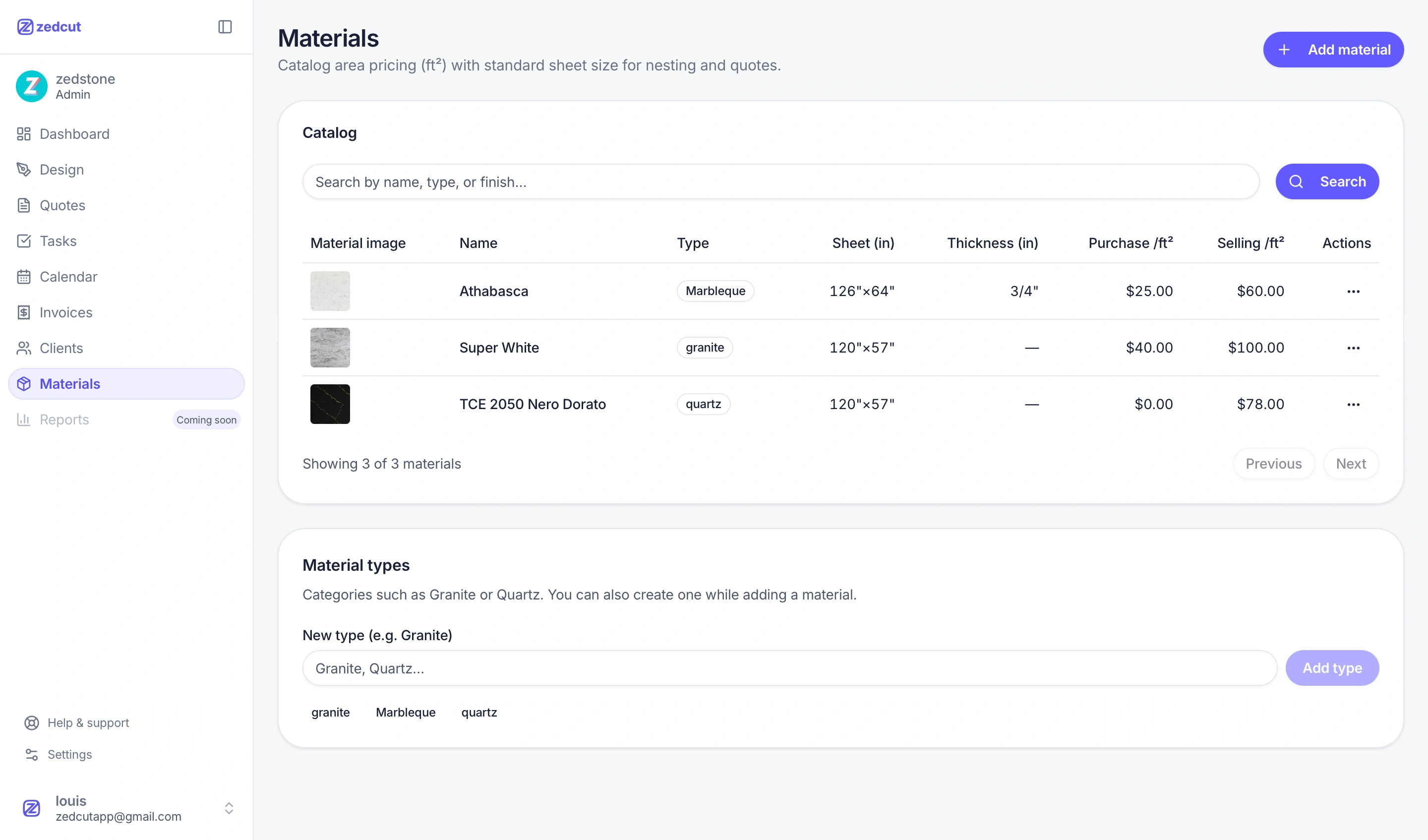
Materials catalog with sheet sizes and pricing per sq ft

Catalog

Materials catalog

Standard sheet sizes, purchase and sale pricing per sq ft — ready for nesting and quotes.

Build your slab catalog once: material name, type (granite, quartz, marble, and custom types), standard sheet dimensions, thickness, purchase cost, and sale price per square foot. Materials feed directly into nesting slab selection and quote line items — no retyping sizes or prices.

  • Sheet size in inches for accurate nesting and cut planning
  • Purchase and sale price per sq ft for margin tracking
  • Material types as tags — granite, quartz, marble, or create your own
  • Optional material photos on slab records in nesting
  • Search by name, type, or finish across the catalog
  • Used automatically when adding slabs in nesting and generating quote lines
Organization roles and permissions for team members

Team

Roles for every team member

Assign Admin, Manager, Estimator, Installer, or Cutter roles — each with the permissions they need for quotes, scheduling, and job updates.

Five built-in roles — Admin, Manager, Estimator, Installer, and Cutter — each with a tailored permissions profile. Admins open the roles settings and toggle access by module: design, slab nesting, quotes, invoices, clients, materials, and scheduling. Give installers task updates without billing, let cutters run nesting without quote prices, or keep estimators in control of quotes and layouts.

  • Five default roles — Admin, Manager, Estimator, Installer, Cutter
  • Permissions matrix by module — design, nesting, quotes, invoices, clients, tasks
  • Granular toggles: view vs manage, slab nesting, hide quote pricing in design
  • Admin always has full access; every other role is configurable
  • One role per member — updates apply across the whole workspace
  • Deactivate a member without deleting their history or past work

Ready to quote faster?

Start a 14-day free trial on Essential, create your workspace, and send your first client quote today.

Start free trial